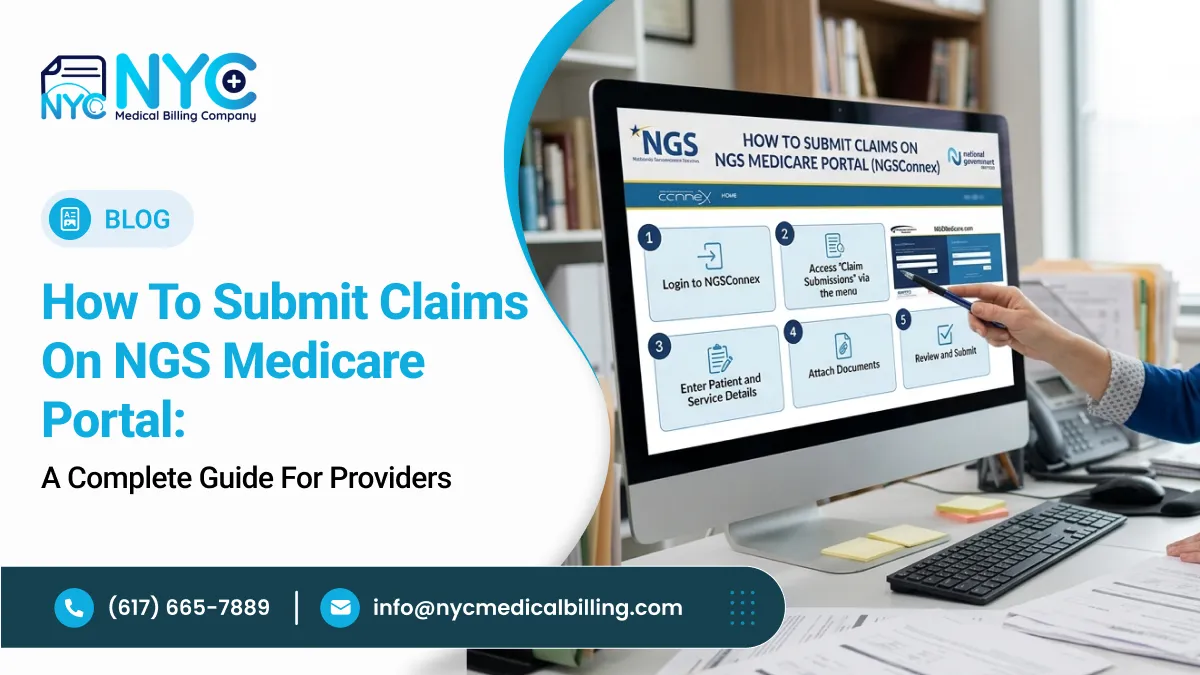
Submitting claims on NGS Medicare Portal may appear to be a simple electronic process, but successful Medicare reimbursement depends on much more than entering a patient ID and procedure code. The claim must accurately represent the services provided, the patient’s Medicare status, the provider’s enrollment information, the place of service, the applicable CPT or HCPCS codes, and the documented diagnoses.
For doctors, hospitals, clinics, medical practices, and other healthcare providers, errors in any of these areas can result in rejected claims, payment delays, medical necessity denials, incorrect reimbursement, compliance concerns, and additional documentation requests.
This guide explains how to submit Medicare Part B claims through NGSConnex, how to prepare the claim before submission, how CPT/HCPCS and ICD-10-CM codes fit into the process, how diagnosis pointers and modifiers affect claim accuracy, how to handle Medicare Secondary Payer considerations, and what to do after the claim is submitted.
What Are Claims on NGS Medicare Portal?
Claims on NGS Medicare Portal are Medicare Part B fee-for-service claims that eligible providers can submit electronically through NGSConnex after completing the required EDI enrollment. NGS specifically states that Part B providers must have an EDI enrollment form on file to submit claims electronically through NGSConnex.
The portal is not a coding system. It is the electronic platform used to transmit claim information to National Government Services (NGS), the Medicare Administrative Contractor (MAC) responsible for applicable Medicare claims.
The basic process is:
Verify Medicare eligibility → confirm payer responsibility → verify provider information → review documentation → assign CPT/HCPCS codes → assign ICD-10-CM diagnoses → verify modifiers and POS → enter claim → review claim lines → submit → monitor processing and payment.
NGSConnex also provides functions for checking claim status, viewing remittances, submitting appeals, responding to Additional Documentation Requests (ADRs), and reviewing claim submission history.
Why the submission process matters
A technically complete claim can still have reimbursement problems when:
- The wrong Medicare payer is selected
- Medicare is not the primary payer
- The MBI is incorrect
- The rendering provider is incorrect
- The CPT/HCPCS code does not match the service
- The diagnosis does not support the service
- A modifier is missing or inappropriate
- The place of service is incorrect
- Units do not match the documentation
- A claim violates an NCCI edit
- The service does not meet an applicable coverage policy
- The claim is submitted after the timely filing deadline
The portal therefore should be viewed as one part of the overall Medicare revenue cycle and claims process, rather than as a replacement for proper documentation and coding.
Which Providers Can Submit Claims Through NGSConnex?
NGSConnex includes a Part B Claim Submissions function. NGS states that Part B providers with completed EDI enrollment can submit claims through the portal.
Before using the claim submission function, a provider should confirm:
| Requirement | Why It Matters |
| Medicare Part B enrollment | Establishes the provider’s Medicare billing relationship |
| NGS jurisdiction | Determines whether NGS is the applicable MAC |
| EDI enrollment | Required for Part B electronic claim submission through NGSConnex |
| Correct provider account | Prevents claims being submitted under the wrong provider |
| Patient Medicare eligibility | Confirms applicable coverage |
| Original Medicare FFS status | Determines whether the FFS MAC should receive the claim |
| MSP status | Establishes whether another payer is primary |
| Documentation | Supports the reported services and diagnoses |
A Medicare beneficiary may have Medicare coverage but still be enrolled in a Medicare Advantage plan. CMS states that claims for beneficiaries enrolled in Medicare Advantage should not be submitted to the Medicare FFS contractor; the Medicare Advantage plan is responsible for processing those claims.
Current Medicare Coding Rules for 2026
The code set used on a claim depends on the date of service or other applicable coding date, not simply the date when the claim happens to be entered into NGSConnex.
For ICD-10-CM, CMS currently identifies FY 2026 files applicable through September 30, 2026 and FY 2027 files beginning October 1, 2026. CMS states that the FY 2027 ICD-10-CM files apply to patient encounters from October 1, 2026 through September 30, 2027.
Therefore:
- Services on or before September 30, 2026 should be evaluated using the applicable FY 2026 ICD-10-CM files.
- Services beginning October 1, 2026 should be evaluated using FY 2027 ICD-10-CM.
- CPT and HCPCS reporting must likewise use the applicable code set and Medicare requirements for the service and date of service.
CMS emphasizes that ICD-10-CM coding should follow the official classification and coding guidelines, including the Alphabetic Index, Tabular List, conventions, and applicable chapter-specific instructions.
This is particularly important when a claim is submitted months after the service occurred. Do not select a diagnosis code simply because it is the newest version available in your software.
CPT, HCPCS, and ICD-10-CM Codes Used on NGS Medicare Claims
There is no specific CPT or ICD-10-CM code for “submitting a claim on NGS Medicare Portal.”
The codes reported on the claim describe the actual healthcare service and the patient’s documented diagnosis or reason for the encounter.
CPT codes
CPT codes describe many physician and other professional services.
Examples include:
| CPT Code | Example Service |
|---|---|
| 99202–99205 | New patient office/outpatient E/M services |
| 99211–99215 | Established patient office/outpatient E/M services |
| 93000 | Electrocardiogram |
| 36415 | Venipuncture |
| 81002 | Urinalysis, nonautomated |
| 87880 | Certain infectious-agent detection testing |
These are examples, not a universal list of codes to use on NGS claims.
The correct CPT code depends on the service actually performed, documentation, current CPT rules, Medicare payment policies, and any applicable bundling or coverage requirements.
HCPCS Level II codes
HCPCS Level II codes are used for many services, supplies, drugs, and other items not represented by CPT alone.
Examples include:
- G-codes
- J-codes
- Q-codes
- Certain preventive service codes
- Certain Medicare-specific services and supplies
The applicable HCPCS code must be verified against the current CMS code set and Medicare requirements.
ICD-10-CM diagnosis codes
ICD-10-CM identifies diagnoses, conditions, symptoms, reasons for encounters, and other reportable clinical information.
Examples include:
| Diagnosis | Example ICD-10-CM Code |
| Essential hypertension | I10 |
| Type 2 diabetes mellitus without complications | E11.9 |
| Hyperlipidemia, unspecified | E78.5 |
| GERD without esophagitis | K21.9 |
| Anxiety disorder, unspecified | F41.9 |
| Encounter for general adult medical examination without abnormal findings | Z00.00 |
| Encounter for immunization | Z23 |
| Low back pain, unspecified | M54.50 |
These codes are examples only. The appropriate diagnosis must be supported by the provider’s documentation and selected according to the applicable ICD-10-CM rules.
CMS explains that ICD-10-CM is the diagnosis classification used across healthcare settings, while ICD-10-PCS is primarily used for inpatient hospital procedures.
How to Select the Correct CPT, HCPCS, and ICD-10-CM Codes
The NGS portal does not determine whether your codes are clinically or financially appropriate. That responsibility begins with the medical record and the provider’s documentation.
-
Start with the provider’s documentation
The first question should be:
What service did the provider actually perform, and what diagnosis or reason for the encounter did the provider document?
Do not begin with the question:
“Which diagnosis will make this procedure payable?”
That approach can create compliance and medical necessity problems.
The FY 2027 ICD-10-CM Official Guidelines emphasize the importance of complete documentation and state that the entire record should be reviewed to determine the reason for the encounter and conditions treated.
-
Select the appropriate CPT or HCPCS service code
Review the documentation against the official code descriptor.
Consider:
- Service performed
- Level of service
- Procedure components
- Add-on code requirements
- Global surgery rules
- Bundling
- NCCI edits
- Units
- Modifier requirements
- Medicare coverage
For example, an office visit should not be coded at a higher E/M level merely because the provider spent more time reviewing unrelated records if the applicable E/M rules do not support that reporting method.
-
Assign the diagnosis supported by the provider
The diagnosis should reflect the provider’s documented assessment.
Coders and other professionals involved in claims preparation should not independently diagnose a condition from a laboratory result, imaging finding, or other clinical information unless the applicable coding rules specifically permit it.
For example, an elevated blood pressure reading does not automatically mean the patient has hypertension. The reported diagnosis must follow the provider documentation and applicable ICD-10-CM guidance.
-
Check ICD-10-CM specificity
When the documentation supports specificity, avoid unnecessarily reporting an unspecified diagnosis.
Review:
- Anatomical site
- Laterality
- Acuity
- Severity
- Encounter type
- Underlying cause
- Associated manifestations
- Complications
- Disease stage
- Current versus historical conditions
However, specificity should never be invented.
If the provider documentation does not support a more specific diagnosis, do not infer one simply to make the claim appear more complete.
-
Review ICD-10-CM instructional notes
The Tabular List may contain instructions such as:
- Code first
- Use additional code
- Excludes1
- Excludes2
- Includes
- Code also
These instructions can change how diagnoses are reported.
The Alphabetic Index alone should not be treated as the final authority for code assignment. The selected code should be verified in the Tabular List and against the current Official Guidelines.
-
Connect diagnoses to the appropriate procedures
The diagnosis pointer should support the particular service line.
Suppose a patient is evaluated for hypertension and diabetes and the physician performs multiple services. The diagnoses reported on the claim do not automatically need to be attached to every procedure.
Each service should be linked to the diagnosis or diagnoses that appropriately support that service.
This is especially important when a claim contains:
- Laboratory services
- Imaging
- Procedures
- E/M services
- Preventive services
- Chronic disease management
- Multiple diagnostic services
-
Review Medicare medical necessity
A valid CPT code does not automatically mean Medicare will pay the service.
Check whether an applicable:
- National Coverage Determination (NCD)
- Local Coverage Determination (LCD)
- Medicare National Coverage Database article
- National Correct Coding Initiative (NCCI) edit
- Medicare fee schedule rule
- Documentation requirement
applies to the service.
Medical necessity should be evaluated before claim submission, not only after a denial occurs.
Place of Service on NGS Medicare Claims
The Place of Service (POS) code identifies where a professional service was provided.
Examples include:
| POS | Setting |
| 11 | Office |
| 12 | Home |
| 19 | Off-campus outpatient hospital |
| 21 | Inpatient hospital |
| 22 | On-campus outpatient hospital |
| 23 | Emergency room—hospital |
| 24 | Ambulatory surgical center |
| 31 | Skilled nursing facility |
| 32 | Nursing facility |
| 49 | Independent clinic |
| 81 | Independent laboratory |
POS should reflect the actual location of the service.
For example, a physician who sees a patient in an office should not select a hospital POS simply because the patient’s condition is complex.
An incorrect POS can affect both claim processing and reimbursement.
Modifiers to Review Before Submitting Claims on NGS Medicare Portal
Modifiers provide additional information about a service.
Common modifiers include:
| Modifier | General Use |
| 25 | Significant, separately identifiable E/M service on the same day as another service |
| 24 | Unrelated E/M service during a postoperative period |
| 26 | Professional component |
| TC | Technical component |
| 59 | Distinct procedural service when criteria are met |
| 76 | Repeat procedure/service by same physician or qualified professional |
| 77 | Repeat procedure/service by another physician or qualified professional |
| 91 | Repeat clinical diagnostic laboratory test in appropriate circumstances |
| RT | Right side |
| LT | Left side |
| 50 | Bilateral procedure when applicable |
These modifiers should not be added automatically.
For example, modifier 59 should not be used simply to force payment when two services appear together on a claim. CMS’s NCCI policy requires that the clinical circumstances support the modifier.
The same principle applies to modifier 25 and other modifiers: the documentation and applicable coding rules must support their use.
How to Submit Claims on NGS Medicare Portal Step by Step
Step 1: Verify the Medicare beneficiary
Before entering the claim, confirm:
- Patient’s name
- Medicare Beneficiary Identifier (MBI)
- Date of birth
- Medicare eligibility
- Part B eligibility
- Medicare Advantage status
- Medicare Secondary Payer information
- Other applicable insurance
NGS advises providers to review Medicare’s MSP information before submitting a bill.
Step 2: Confirm that NGS is the correct Medicare contractor
Not every Medicare provider should send every Medicare FFS claim to NGS.
The claim should be directed to the applicable Medicare Administrative Contractor based on the provider’s jurisdiction and Medicare enrollment.
CMS states that FFS claims should be submitted to the appropriate Medicare FFS contractor.
Step 3: Log in to NGSConnex
Access the authorized NGSConnex account.
If your organization has access to multiple provider accounts, make sure you select the provider associated with the claim.
Step 4: Select Part B Claim Submissions
From the NGSConnex home page, select:
Part B Claim Submissions
NGS’s current user guide identifies this as the entry point for Part B claim submission.
Step 5: Select the appropriate provider
NGSConnex displays the provider accounts available to the user.
Select the correct provider before beginning claim entry.
This is especially important for medical practices and healthcare organizations that have multiple physicians or non-physician practitioners associated with the same portal access.
Step 6: Enter the beneficiary and claim information
Prepare the information before beginning the claim.
Depending on the claim, this may include:
- Beneficiary information
- MBI
- Date of service
- Billing provider
- Rendering provider
- NPI
- PTAN
- POS
- CPT/HCPCS codes
- Modifiers
- Charges
- Units
- ICD-10-CM diagnoses
- Diagnosis pointers
Step 7: Enter the claim lines
NGS identifies several important claim-line fields, including:
- From/To service date
- POS
- Procedure code
- Charges
- Days/units
- Diagnosis pointer
- Rendering provider NPI
- Rendering physician PTAN
Review every line before continuing.
If multiple services were performed on the same date, make sure each line accurately reflects the service, units, modifier requirements, and diagnosis linkage.
Step 8: Review the total number of claim lines and charges
NGS states that NGSConnex allows a maximum of 50 claim lines per submission.
Before submission, verify:
- Number of lines
- Total line charges
- Procedure codes
- Dates
- Units
- POS
- Diagnoses
- Diagnosis pointers
- Rendering provider information
Step 9: Submit the claim
After reviewing the claim, select Submit Claim.
NGS states that after submission, the claim status changes to Submitted and the claim is forwarded to EDI for front-end processing. The claim cannot then be edited or deleted through that submission workflow.
This makes the final review particularly important.
Can You Copy a Previous Claim?
Yes. NGSConnex includes a Copy Claim function for certain previously submitted claims.
NGS states that the Copy Claim feature is available for claims with an Accepted status.
However, copying a previous claim does not mean the new claim should be submitted without reviewing it.
NGS requires users to verify information and update applicable claim-line details. These may include:
- Service dates
- POS
- Procedure code
- Charges
- Units
- Diagnosis pointer
- Rendering NPI
- Rendering PTAN
A previous claim should therefore be treated as a template, not as evidence that the same codes are automatically appropriate for the new encounter.
Medicare Secondary Payer: Check Before Submitting
One of the most important pre-submission checks is determining whether Medicare is actually the primary payer.
A beneficiary may have:
- Employer group health coverage
- Workers’ compensation
- Liability coverage
- No-fault insurance
- Other health insurance
- Other coverage that may affect Medicare’s payment responsibility
NGS instructs providers to determine the proper order of payers and submit claims accordingly. If another payer is primary to Medicare, that payer should generally be billed before Medicare.
NGS also states in its NGSConnex Part B claim submission guide that Medicare Secondary Payer claims are not currently accepted through that NGSConnex claim-submission function.
This is an important distinction: do not assume that every Medicare-related claim can be entered through the standard NGSConnex Part B claim screen.
Common Medicare Claim Errors to Check Before Submission
Incorrect beneficiary information
An incorrect MBI or demographic mismatch can interfere with claim processing.
Best practice: Verify eligibility before submission.
Wrong rendering provider
The claim may contain the correct practice but the wrong individual NPI or PTAN.
Best practice: Confirm the provider who actually performed the service.
Incorrect CPT code
The procedure code may not accurately describe the service documented.
Best practice: Review the official CPT descriptor and applicable Medicare rules.
Incorrect ICD-10-CM diagnosis
A diagnosis may be too vague, unsupported, or unrelated to the service.
Best practice: Code from provider documentation and verify the Tabular List.
Unsupported modifier
A modifier may be added simply because it produces a different payment result.
Best practice: Require documentation and coding rules to support the modifier.
Incorrect POS
The claim may report a setting different from where the service actually occurred.
Best practice: Verify the actual service location.
Diagnosis pointer error
The procedure may be linked to an unrelated diagnosis.
Best practice: Review each claim line individually.
MSP error
Medicare may be secondary, but the claim is submitted as primary.
Best practice: Review MSP information before submission. NGS specifically recommends checking the Common Working File information through available provider tools.
Duplicate claim
A claim may already have been submitted or accepted.
Best practice: Check claim history and status before resubmitting.
What Happens After Submitting a Claim?
Selecting Submit Claim does not mean Medicare has already adjudicated the claim.
NGS explains that a submitted claim is forwarded to EDI for front-end processing and acceptance.
CMS describes electronic Medicare claims as passing through processing and editing steps. Errors identified during processing can result in rejection or denial.
Healthcare providers should therefore monitor the claim after submission.
The post-submission workflow should include:
Submission → acceptance → claim processing → adjudication → remittance → payment or denial follow-up
NGSConnex provides claim-status functionality and allows providers to view claim details and remittance information.
Claim Rejection vs. Claim Denial
Understanding the difference is important when deciding what action to take.
Claim rejection
A rejection generally indicates that the claim did not pass an applicable front-end or electronic validation requirement.
Examples can include:
- Invalid information
- Missing required data
- Invalid provider information
- Invalid claim formatting
- Invalid identifiers
The appropriate response is usually to identify the problem, correct it, and submit the claim according to the applicable correction process.
Claim denial
A denial generally occurs after Medicare evaluates the claim and determines that payment is not allowed under the applicable coverage, coding, medical necessity, or other rules.
Examples can include:
- Noncovered service
- Medical necessity issue
- Incorrect modifier
- Duplicate service
- MSP issue
- Timely filing
- Coverage limitation
The response depends on the reason for the denial. A corrected claim, reopening, or appeal may be appropriate depending on the circumstances.
Medicare Timely Filing for NGS Claims
For Medicare FFS claims, CMS states that the general timely filing period is 12 months, or one calendar year, after the date of service. Claims received after the deadline are generally denied as untimely, subject to applicable exceptions.
CMS also identifies specific exceptions to the timely filing requirement, including certain administrative errors and retroactive Medicare entitlement situations.
Healthcare providers should not treat one year as a normal submission target.
A stronger process is:
Document service → code promptly → review claim → submit promptly → verify acceptance → monitor processing.
Early submission provides more time to identify and correct problems.
What Documentation Should Support an NGS Medicare Claim?
Documentation is central to both coding accuracy and claim defensibility.
A provider’s record should support the services and diagnoses reported on the claim.
Documentation checklist
| Documentation Area | What to Verify |
| Patient | Correct beneficiary |
| Date of service | Matches the service actually provided |
| Provider | Correct treating/rendering provider |
| Service | Clearly documented |
| Diagnosis | Supported by provider documentation |
| Medical necessity | Supports the reported service |
| CPT/HCPCS | Consistent with the service |
| Modifier | Supported when reported |
| Units | Supported by documentation |
| POS | Matches service location |
| Diagnosis linkage | Supports applicable service lines |
| Orders | Present when required |
| Medical records | Available if requested |
| MSP | Payer responsibility established |
CMS’s ICD-10-CM guidelines emphasize that complete and consistent documentation is essential for accurate diagnosis coding.
Additional Documentation Requests From NGS
Routine claim submission and an Additional Documentation Request (ADR) are separate processes.
NGS states that supporting documentation is not currently submitted with the standard NGSConnex Part B claim submission.
If NGS later requests records, providers can use the ADR functionality in NGSConnex.
The ADR workflow allows the provider to:
- Open the ADR section.
- Select the applicable provider.
- Identify the claim.
- Review the requested information.
- Review the claim lines under review.
- Select the response function.
- Verify the claim information.
- Upload relevant documentation.
- Submit the response.
NGS advises that documentation should be relevant to the specific services and dates requested and that providers should respond within the applicable deadline.
NGS Medicare Claims Submission Checklist
Before submitting claims on NGS Medicare Portal, review the following:
| Item | Verify |
| Medicare FFS eligibility | ✓ |
| Correct NGS jurisdiction | ✓ |
| Medicare Advantage status | ✓ |
| MSP status | ✓ |
| Patient name and MBI | ✓ |
| Date of birth | ✓ |
| Date of service | ✓ |
| Billing provider | ✓ |
| Rendering provider | ✓ |
| NPI | ✓ |
| PTAN | ✓ |
| CPT/HCPCS code | ✓ |
| Current code set | ✓ |
| ICD-10-CM diagnosis | ✓ |
| Diagnosis specificity | ✓ |
| Diagnosis pointer | ✓ |
| Modifier | ✓ |
| Units | ✓ |
| Charges | ✓ |
| POS | ✓ |
| Medical necessity | ✓ |
| NCCI edits | ✓ |
| NCD/LCD requirements | ✓ |
| Duplicate claim check | ✓ |
| Timely filing | ✓ |
| Final claim review | ✓ |
Conclusion
Submitting claims on NGS Medicare Portal is not simply a matter of entering CPT and ICD-10 codes and clicking submit. For doctors, hospitals, clinics, and healthcare providers, accurate Medicare reimbursement begins with the medical record and continues through eligibility verification, payer-order determination, correct provider identification, CPT/HCPCS selection, ICD-10-CM coding, diagnosis linkage, POS and modifier review, medical necessity validation, and final claim review.
The most important principle is that the claim should accurately represent the care that was provided and documented. CPT and HCPCS codes describe the services, while ICD-10-CM codes describe the documented diagnoses and reasons for the encounter. Neither should be selected solely to obtain reimbursement.
Providers should also pay attention to coding-year changes. CMS states that FY 2026 ICD-10-CM applies through September 30, 2026, while the FY 2027 ICD-10-CM files apply beginning October 1, 2026.
Finally, submitting the claim is only one step. Providers should monitor claim status, review remittance information, respond appropriately to rejections or denials, and provide requested documentation when NGS initiates an ADR.
When the clinical documentation, coding, payer information, and claim data all agree, providers are in a much stronger position to submit accurate claims on NGS Medicare Portal and reduce avoidable payment delays, denials, and compliance risks.
Frequently Asked Questions About Claims on NGS Medicare Portal
What is the NGS Medicare Portal?
NGSConnex is NGS’s secure provider portal that includes functions such as Part B claim submission, claim status, remittance information, appeals, and ADR responses.
Can doctors submit claims on NGS Medicare Portal?
Eligible Part B providers can submit claims through NGSConnex when the required EDI enrollment is completed.
What CPT code is used for submitting claims on NGS Medicare Portal?
There is no specific CPT code for portal claim submission. The CPT or HCPCS code must represent the healthcare service actually provided.
What ICD-10 code should be used on an NGS Medicare claim?
There is no universal ICD-10-CM code for an NGS claim. The diagnosis must be supported by the provider’s documentation and selected according to the applicable ICD-10-CM guidelines.
Can hospitals submit claims through NGSConnex?
NGSConnex includes different functions for Part A and Part B providers. The Part B claim-submission function described in the NGS user guide is specifically for Part B providers.
Hospitals should therefore determine whether the claim is a Part A institutional claim or a Part B professional claim and use the applicable submission method.
Can Medicare Advantage claims be submitted to NGS?
No. CMS states that claims for Medicare Advantage beneficiaries should be submitted to the Medicare Advantage plan rather than the Medicare FFS contractor.
Can Medicare Secondary Payer claims be submitted through NGSConnex?
NGS’s Part B NGSConnex user guide states that MSP claims are not currently accepted through that claim-submission function.
How long do providers have to submit a Medicare claim?
The general Medicare FFS timely filing period is one calendar year from the date of service, subject to applicable exceptions.
Can a submitted NGSConnex claim be edited?
NGS states that after selecting Submit Claim, the claim is forwarded to EDI for front-end processing and cannot be edited or deleted through that submission workflow.
Can a previous NGS claim be copied?
Yes. NGSConnex has a Copy Claim feature for eligible previously submitted claims. NGS states that the feature is available for claims with an Accepted status.
The copied claim must still be reviewed and updated for the new encounter.
Does NGSConnex allow medical records to be attached to a routine claim?
NGS currently states that supporting documentation is not accepted with the standard NGSConnex claim submission. Documentation can instead be provided when requested through an applicable ADR process.